AI Stone to Castle Transformation Tutorial 🏰✨ | Create Stunning Viral AI Videos with Simple Steps
Discover the amazing world of AI-powered creativity and learn how to transform an ordinary stone wall into a magnificent, realistic castle using artificial intelligence! In this step-by-step tutorial, you will explore how to turn a simple photo into a cinematic castle transformation video with stunning visuals, magical effects, and professional-quality results.
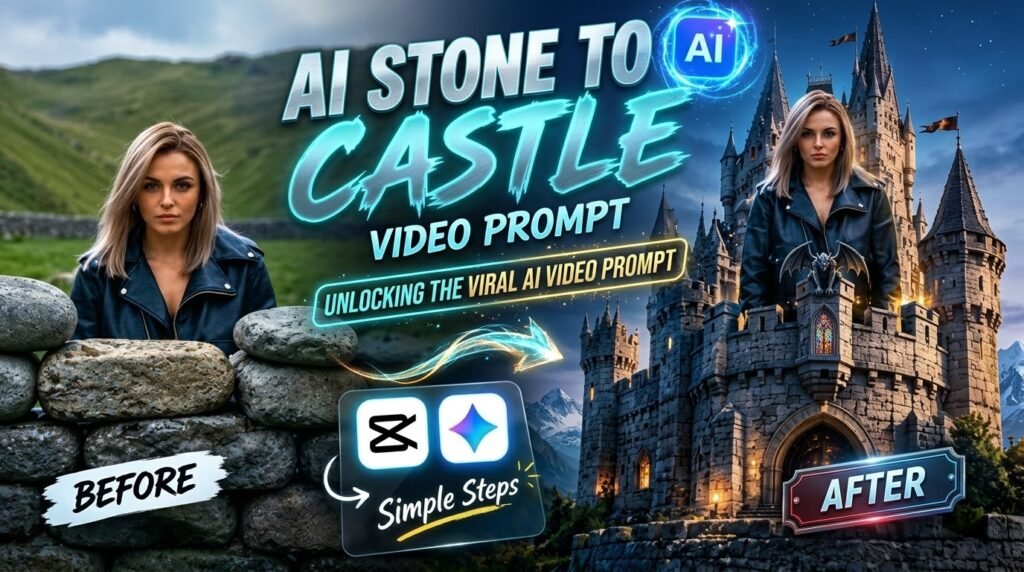
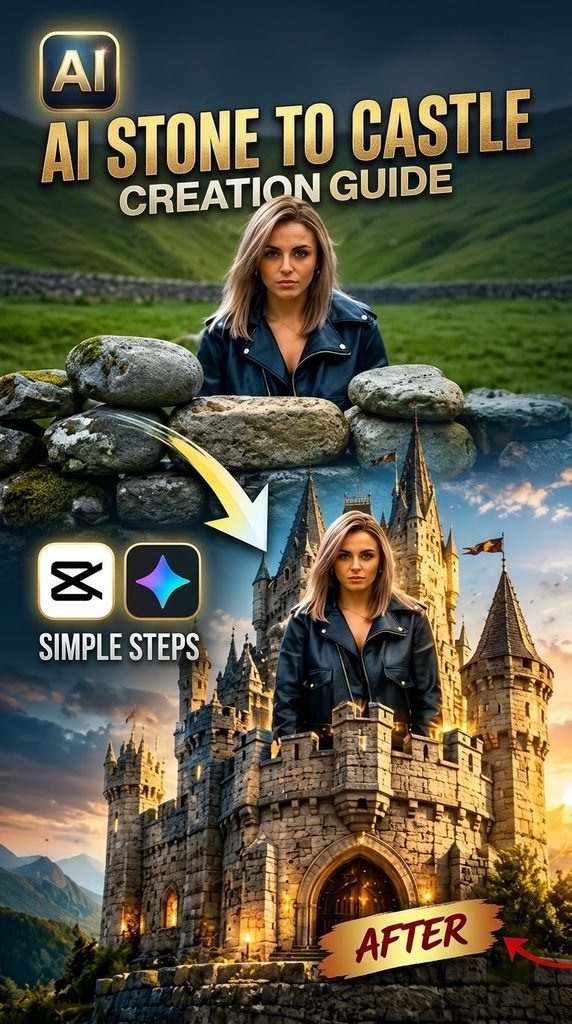
Imagine a scene where a woman stands behind an old stone wall surrounded by beautiful green hills. With the power of AI, the ordinary stones gradually transform into a majestic medieval castle featuring towering spires, detailed stone architecture, glowing windows, and a breathtaking cinematic atmosphere. This creative transformation makes a simple image look like a scene from a fantasy movie!
🏰 What Is the AI Stone to Castle Transformation?
The AI Stone to Castle transformation is a creative image-to-video concept in which a basic scene is transformed into an extraordinary architectural masterpiece. By combining AI image generation, carefully written prompts, and video editing, you can create an impressive before-and-after effect that captures viewers’ attention.
The first scene shows the original stone wall and natural landscape. The final scene reveals a grand castle rising from the same location, with realistic textures, dramatic lighting, and beautiful environmental details. This visual contrast makes the transformation ideal for short-form videos, social media reels, YouTube Shorts, and creative tutorials.
✨ What You Will Learn in This Tutorial
- AI Image Creation: Learn how to create a realistic starting image and a detailed castle transformation scene.
- Prompt Writing: Discover how to describe the stone wall, surrounding landscape, castle structure, lighting, and transformation effects.
- Image-to-Video Animation: Explore how to animate still images into a smooth transformation sequence using a compatible AI video tool.
- Video Editing: Use an editing application such as CapCut to arrange clips, add transitions, include sound effects, and improve the final presentation.
- Before-and-After Presentation: Create a visually appealing comparison that clearly shows the difference between the original scene and the completed castle.
- Social Media Optimization: Prepare your finished video for platforms such as Instagram Reels, Facebook Reels, TikTok, and YouTube Shorts.
🛠️ Tools You Can Use
You can experiment with an AI image generator to create the original and final images, an image-to-video generator to animate the transformation, and CapCut or another video editor to combine the clips.
The exact features available will depend on the tools you choose. Some tools generate images, while others animate images or provide additional editing features.
📝 Example AI Prompt for a Stone-to-Castle Transformation
Copy and customize this prompt:
“Create a cinematic, photorealistic fantasy transformation video. Begin with an old rustic stone wall in a beautiful green mountain valley under a cloudy sky. A woman wearing a stylish black leather jacket stands naturally behind the stone wall. Gradually transform the ordinary stones into the foundation of a magnificent medieval stone castle. The castle walls rise naturally from the ground, followed by detailed towers, tall pointed spires, arched windows, stone staircases, and warm glowing lights. Preserve the original landscape, camera angle, and the woman’s appearance throughout the transformation. Add realistic stone textures, subtle magical particles, cinematic lighting, natural shadows, and smooth architectural movement. End with a breathtaking, fully constructed castle standing proudly in the mountain valley. Ultra-realistic details, seamless transitions, professional cinematic composition, sharp textures, and a dramatic fantasy atmosphere.”
Tip: For a more consistent result, generate a strong starting image and a matching final castle image first. Then use a compatible image-to-video tool to create the transition.
🎥 How to Create the Video Step by Step
Step 1: Create the original image
Start with a realistic landscape featuring a stone wall, green hills, and your chosen subject. Keep the camera angle and composition clear so the transformation is easy to understand.
Step 2: Generate the castle image
Use your preferred AI image generator to create the final scene. Describe the castle’s architecture, towers, windows, lighting, and surroundings in detail. Try to keep the camera position consistent with the original image.
Step 3: Animate the transformation
Upload the starting and ending images to an image-to-video tool that supports image references or first-and-last-frame generation. Describe how the stones gradually become castle walls and how the towers rise into place. Adjust the prompt if the movement looks unnatural.
Step 4: Edit the video
Import the generated clip into CapCut or another video editor. Trim unnecessary sections, improve the pacing, and add suitable cinematic music or transformation sound effects.
Step 5: Add text and effects
Use clear text such as “BEFORE,” “AFTER,” or “AI STONE TO CASTLE.” Add subtle glow effects and transitions without covering the main transformation.
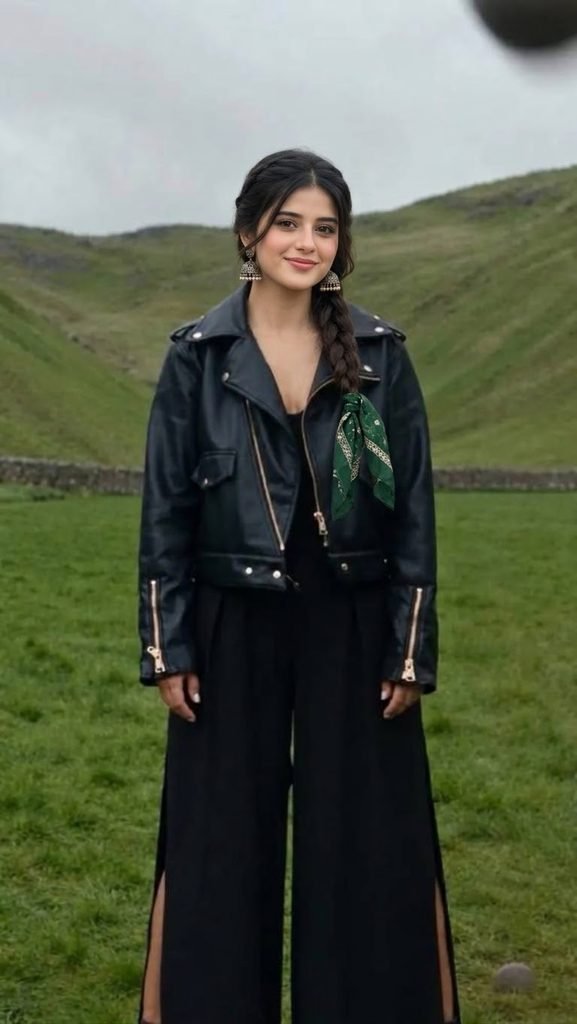
image prompt:
Video Prompt : NO1
Video Prompt : NO2
Step 6: Export and share
Review the video, check its visual quality, and export it in the aspect ratio suitable for your platform. A vertical 9:16 format is a popular choice for short-form videos, while 16:9 works well for standard YouTube videos and landscape tutorials.
🚀 Why This AI Video Idea Is Perfect for Content Creators
AI transformation videos combine imagination, visual storytelling, and surprising results. The dramatic contrast between an ordinary stone wall and a magnificent castle can encourage viewers to watch until the end. You can also experiment with other concepts, such as turning an old house into a luxury mansion, transforming a small garden into a fantasy kingdom, or converting a simple village into a futuristic city.
Use these ideas to develop your own creative style, test different prompts, and produce original content for your social media audience.
📢 Create Your Own AI Transformation Today!
Ready to turn an ordinary scene into something extraordinary? Follow the steps in this tutorial, experiment with the example prompt, and create your own stone-to-castle transformation video. Try different landscapes, castle designs, lighting styles, and transition effects to discover what works best for your project.
If you found this tutorial helpful, like, share, and follow for more AI image-generation tutorials, creative video prompts, photo-editing ideas, and amazing AI transformation techniques. Save this post so you can easily find the prompt and steps whenever you need them!
#AIStoneToCastle #AITransformation #AIVideoTutorial #AIVideoPrompt #AIImageGeneration #ArtificialIntelligence #CapCutEditing #ImageToVideo #FantasyCastle #BeforeAndAfter #ViralAIVideos #ContentCreator #AITutorial #PhotoEditing #DigitalCreativity
Apni image ko customize kaise karein? Prompt mein “Scene” ke baad apni pasand ka background add karein, jaise motorcycle, beach, mountains, royal throne ya urban street. “Pose” aur “Outfit” ki details bhi apne idea ke mutabiq change kar sakte hain.
🎬 AI Prompt Generator Se Text-to-Video Aur Photo-to-Video
🛠️ Tools Jo Aapko Chahiye
ULTIMATE AI VIDEO TOOLKIT • 2026
| Tool | Kaam | Status |
|---|---|---|
| Google Flow | AI Video Generation | BEST |
| Google Gemini | Smart Prompt Writing | ESSENTIAL |
| ChatGPT | Image Ideas & Prompts | ESSENTIAL |
| CapCut | Professional Video Editing | ESSENTIAL |
| VN Editor | Mobile Video Editing | USEFUL |
| Midjourney | Car Concept Images | OPTIONAL |
| Leonardo AI | Futuristic Car Designs | OPTIONAL |
Start with Google Flow, ChatGPT and CapCut to create your AI video.
CREATE YOUR VISION • EDIT LIKE A PRO
AI tools ki madad se kuch supported platforms par text-to-video aur photo-to-video content bhi banaya ja sakta hai.
- Text-to-Video: Apne scene ko words mein describe karein aur supported AI video tool mein video generate karein.
- Photo-to-Video: Ek still photo upload karke supported tool se movement ya animation create karein.
- Image-to-Video: Image ko starting frame ya visual reference ke taur par use karein.
- AI Avatar: Kuch tools talking-avatar ya presenter-style videos banane ki suvidha dete hain.
Har tool ki capabilities, free limits aur export options alag ho sakte hain. Kisi bhi service ko use karne se pehle uski current terms aur available features check karein.
💡 Best AI Images Banane Ke 7 Useful Tips
- Clear reference photo use karein: Blurry ya bahut dark photo se identity preserve karna mushkil ho sakta hai.
- Prompt mein details likhein: Background, outfit, pose, lighting aur camera angle clearly describe karein.
- Ek waqt mein limited changes karein: Agar sirf background badalna hai, to clearly likhein ki baaki image unchanged rahe.
- Aspect ratio mention karein: Instagram portrait ke liye 4:5 aur Reels ya Stories ke liye 9:16 jaise ratios use karein.
- Realistic results maangein: Natural skin texture, realistic shadows aur accurate proportions ka zikr karein.
- Text ko check karein: AI-generated images mein spelling ya small text galat ho sakta hai. Zarurat ho to text ko baad mein edit karein.
- Privacy ka dhyan rakhein: Apni ya kisi aur ki photo upload karte waqt permission aur privacy ka khayal rakhein.
❓ Frequently Asked Questions (FAQ)
Q1. Kya ChatGPT mein apni photo upload kar sakte hain?
Haan, supported ChatGPT interfaces mein aap image upload karke uske baare mein sawal kar sakte hain ya image editing aur generation ke liye instructions de sakte hain.
Q2. Kya ChatGPT free mein AI image bana sakta hai?
Availability aur usage limits account, plan aur current product features par depend karti hain. Free access mein limits ho sakti hain.
Q3. Kya apna face same rakhkar AI image bana sakte hain?
Aap apni photo ko reference ke taur par use karke facial identity preserve karne ki instruction de sakte hain. Lekin har generation mein exact identity match hone ki guarantee nahi hoti.
Q4. Instagram ke liye kaunsa image ratio use karein?
Portrait feed post ke liye 4:5 aur full-screen Reels ya Stories ke liye 9:16 aam options hain.
Q5. Achha AI image prompt kaise likhein?
Apne subject, scene, pose, outfit, lighting, camera framing, style aur aspect ratio ko clearly describe karein. Saath hi batayein ki reference photo mein kya preserve karna hai aur kya change karna hai.
🎯 Conclusion
ChatGPT ki madad se AI image creation seekhna beginners ke liye bhi aasaan ho sakta hai. Ek clear reference photo, detailed prompt aur step-by-step corrections ke saath aap apne creative ideas ko realistic portraits, fashion edits, cinematic scenes aur social media visuals mein badal sakte hain.
Agar aap AI photo editing, ChatGPT prompts, image generation, text-to-video aur naye AI tools ke tutorials seekhna chahte hain, to is guide ko save karein aur apne friends ke saath share karein.
👍 Like | 🔁 Share | 📌 Save | 💬 Comment
Comment mein batayein: Aap sabse pehle kaunsi AI image banana chahenge — Royal King, Motorcycle Portrait, Cinematic Fashion, ya Beach Photography?
🔎 SEO Keywords
ChatGPT AI Image Generator, ChatGPT Photo Editing Tutorial Hindi, AI Photo Kaise Banaye, ChatGPT Mein Photo Upload Kaise Kare, Best AI Image Prompt 2026, Free AI Photo Generator, AI Prompt Generator, Realistic AI Portrait, ChatGPT Image Generation Tutorial, Text to Video AI, Photo to Video AI, Instagram AI Photo Editing.
#️⃣ Hashtags
#ChatGPT #AIImageGenerator #AIPrompt #AIPhotoEditing #ChatGPTTutorial #AIImagePrompt #ArtificialIntelligence #PhotoEditing #TextToImage #TextTo