
📌 Long Description:
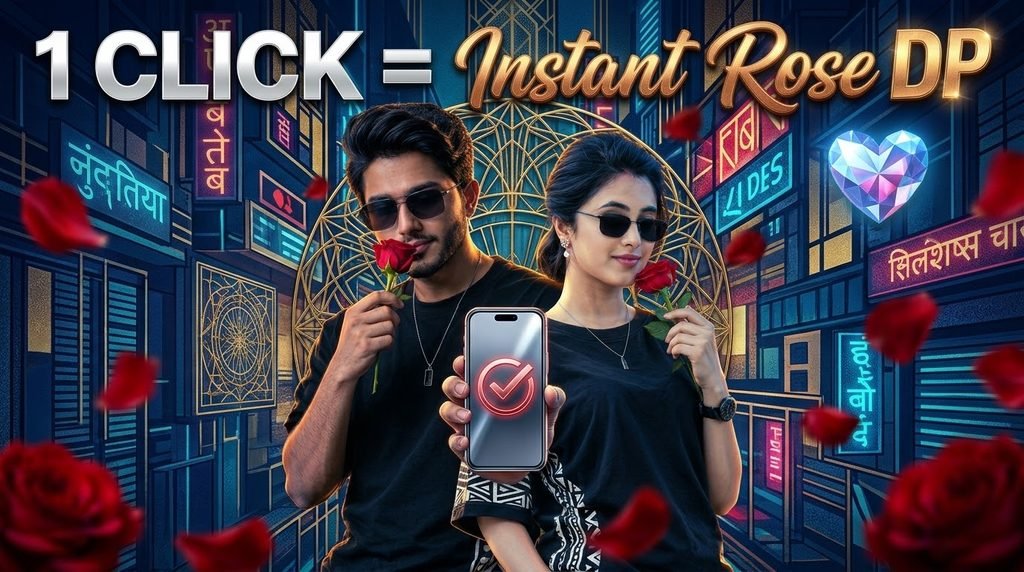
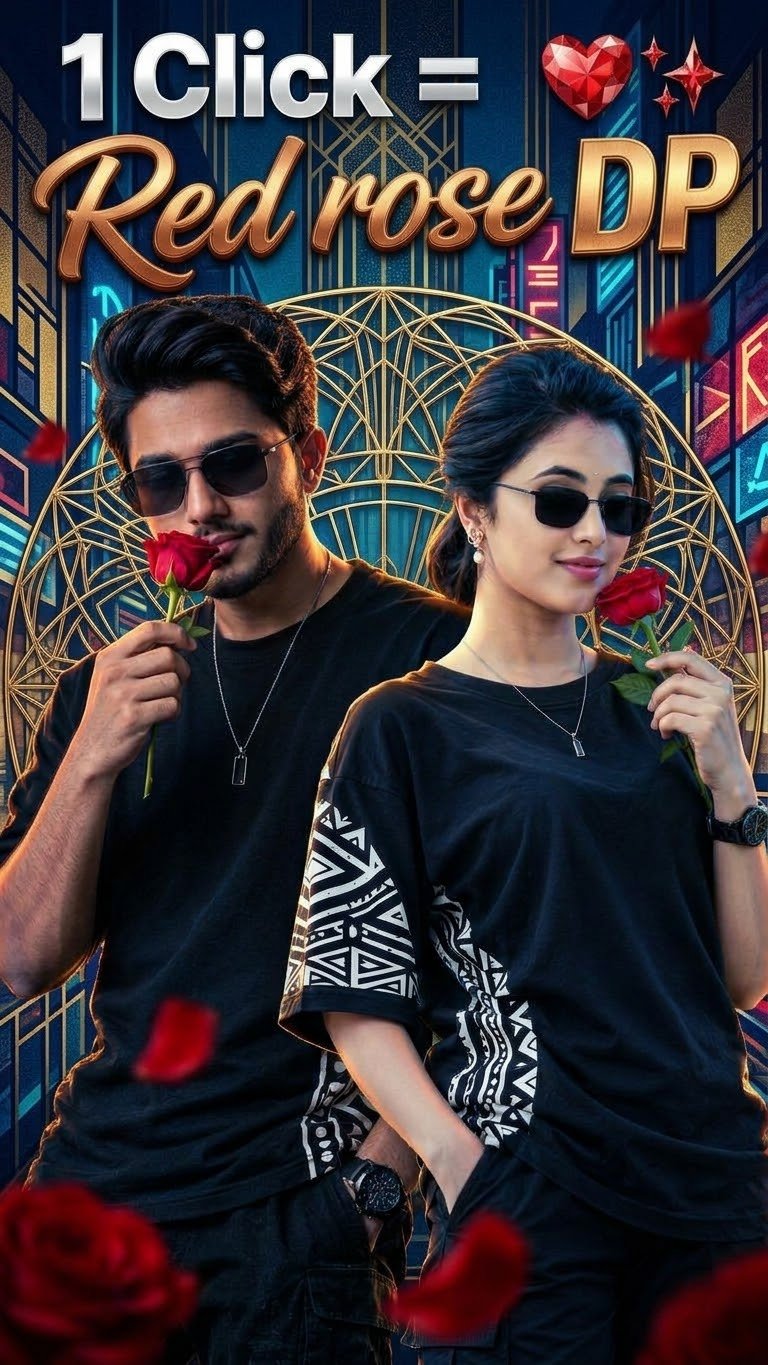
❤️ Turn your ordinary photo into a stunning romantic masterpiece with just one click! 🌹✨ Create a beautiful Red Rose DP with cinematic lighting, a luxury neon city background, glowing heart effects, stylish black outfits, and realistic AI photo editing.
🔥 This trending AI couple DP style is perfect for your WhatsApp DP, Instagram profile, Facebook profile, and romantic status. Give your pictures a premium, aesthetic, and eye-catching look with the magic of AI! ❤️📸
🌹 What You’ll Love:
✨ One-click AI photo editing
❤️ Beautiful red rose effects
💎 Glowing heart and luxury background
🖤 Stylish black outfit aesthetic
📸 Ultra-realistic cinematic look
🔥 Perfect for DP, reels, and social media
💬 Want to create your own amazing DP?
❤️ Like this post
➕ Follow for more trending AI photo editing prompts
📩 DM me for the prompt
🔖 Save this post for later
📲 Share it with your friends
🌹 One Click, One Rose, Endless Vibes! ❤️✨
Hashtags:
#RedRoseDP #InstantRoseDP #AIPhotoEditing #CoupleDP #RomanticDP #AIPrompt #PhotoEditing #TrendingDP #WhatsAppDP #InstagramDP #AIArt #MagicTech #ViralEditing #CinematicPortrait #LoveVibes
PROMPT USE ⬇️⬇️⬇️ CLICK COPY ✨✨
MAN PROMPT
Prompt: Use the uploaded male reference image as the STRICT PRIMARY IDENTITY REFERENCE. Preserve the exact same face, facial structure, hairstyle, beard style, skin tone, smile, expression, and identity. Do not change or replace the person's face in any way. Create an ultra-realistic cinematic studio portrait of the same handsome young Indian man with thick, voluminous, naturally wavy black hair and a perfectly groomed full beard and moustache. He is wearing premium black luxury sunglasses with dark lenses. He has a warm, charming smile and holds a fresh red rose close to his face, looking slightly downward with a romantic, confident, and stylish expression. Outfit and Accessories: He wears a premium oversized black designer T-shirt featuring bold white geometric tribal patterns on one sleeve and the side panel. A luxurious black wristwatch is visible on his wrist, along with a minimalist pendant necklace. One hand holds the red rose close to his face, while the other hand rests casually inside his pocket. Background and Lighting: Pure deep-black studio background with a subtle warm golden glow behind the subject. Dramatic golden rim lighting outlines his hair, sunglasses, shoulders, and body, creating a luxurious halo effect. Cinematic shadows, premium contrast, and elegant golden highlights. Photography Quality: Professional luxury fashion studio photography, celebrity photoshoot aesthetic, photorealistic skin texture and pores, ultra-sharp beard details, realistic sunglasses reflections, detailed fabric textures, HDR lighting, perfect exposure, razor-sharp focus, DSLR quality, hyper-realistic 4K Ultra HD finish, 16K-level detail, cinematic masterpiece composition. STRICT FACE LOCK INSTRUCTIONS: – Same male person as the uploaded reference image. – Preserve original facial identity and facial proportions. – Keep the same hairstyle, hairline, beard, and moustache. – Maintain the original skin tone, smile, and expression. – No gender change, no face replacement, no facial reshaping. – No artificial beautification or age modification. – Keep the original identity recognizable and consistent. Negative Prompt: female, woman, feminine face, face change, different person, different hairstyle, different beard, changed smile, altered expression, face replacement, distorted facial features, blurry image, low quality, cartoon, painting, extra fingers, bad anatomy, deformed hands, unrealistic skin, AI artifacts, duplicate rose, watermark, text, logo, oversaturated colors, cropped head. Aspect Ratio: 9:16 vertical portrait. Full cinematic composition, premium black-and-gold luxury aesthetic.
WOMAN PROMPT
PROMPT USE ⬇️⬇️⬇️ CLICK COPY ✨✨
Prompt: Use the exact same face, facial structure, hairstyle, skin tone, smile, expression, and identity from the female reference image. Do not alter the person's face in any way. Create an ultra-realistic cinematic studio portrait of the same beautiful young Indian woman with thick, voluminous, naturally wavy black hair, wearing premium black luxury sunglasses with dark lenses. She has a warm, charming smile and holds a fresh red rose close to her face, looking slightly downward with a romantic and confident expression. She is wearing a premium oversized black designer T-shirt featuring bold white geometric tribal patterns on one sleeve and side panel, a stylish black luxury wristwatch, and a minimalist pendant necklace. One hand holds the red rose delicately near her face, while the other hand rests inside her pocket. Background and Lighting: Pure deep black studio background with a subtle warm golden glow behind the subject. Dramatic golden rim lighting outlines her hair, sunglasses, shoulders, and body, creating a luxurious halo effect. Photography Style: Professional luxury fashion photography, celebrity photoshoot aesthetic, realistic skin pores, natural facial details, cinematic contrast, HDR lighting, perfect exposure, premium editorial styling, ultra-sharp focus, realistic fabric textures, photorealistic details, DSLR quality, 16K Ultra HD, 32-bit HDR look, 4K-quality finish. Face Identity Lock Instructions: Use the uploaded female reference image as the primary identity reference. Preserve the same recognizable face, facial proportions, eyes, nose, lips, cheeks, jawline, skin tone, hairstyle, smile, and natural expression. No face replacement, no beautification, no facial reshaping, no age change, and no identity alteration. Keep the identity consistent with the reference image. Negative Prompt: different person, face change, altered facial features, different hairstyle, changed skin tone, changed smile, distorted face, blurry image, low quality, cartoon, painting, extra fingers, bad anatomy, deformed hands, unrealistic skin, AI artifacts, duplicate rose, duplicate objects, watermark, text, logo, oversaturated colors, cropped head, unnatural pose. Aspect Ratio: Vertical 9:16, full cinematic portrait, high resolution.
Apni image ko customize kaise karein? Prompt mein “Scene” ke baad apni pasand ka background add karein, jaise motorcycle, beach, mountains, royal throne ya urban street. “Pose” aur “Outfit” ki details bhi apne idea ke mutabiq change kar sakte hain.
🎬 AI Prompt Generator Se Text-to-Video Aur Photo-to-Video
🛠️ Tools Jo Aapko Chahiye
ULTIMATE AI VIDEO TOOLKIT • 2026
| Tool | Kaam | Status |
|---|---|---|
| Google Flow | AI Video Generation | BEST |
| Google Gemini | Smart Prompt Writing | ESSENTIAL |
| ChatGPT | Image Ideas & Prompts | ESSENTIAL |
| CapCut | Professional Video Editing | ESSENTIAL |
| VN Editor | Mobile Video Editing | USEFUL |
| Midjourney | Car Concept Images | OPTIONAL |
| Leonardo AI | Futuristic Car Designs | OPTIONAL |
Start with Google Flow, ChatGPT and CapCut to create your AI video.
CREATE YOUR VISION • EDIT LIKE A PRO
AI tools ki madad se kuch supported platforms par text-to-video aur photo-to-video content bhi banaya ja sakta hai.
- Text-to-Video: Apne scene ko words mein describe karein aur supported AI video tool mein video generate karein.
- Photo-to-Video: Ek still photo upload karke supported tool se movement ya animation create karein.
- Image-to-Video: Image ko starting frame ya visual reference ke taur par use karein.
- AI Avatar: Kuch tools talking-avatar ya presenter-style videos banane ki suvidha dete hain.
Har tool ki capabilities, free limits aur export options alag ho sakte hain. Kisi bhi service ko use karne se pehle uski current terms aur available features check karein.
💡 Best AI Images Banane Ke 7 Useful Tips
- Clear reference photo use karein: Blurry ya bahut dark photo se identity preserve karna mushkil ho sakta hai.
- Prompt mein details likhein: Background, outfit, pose, lighting aur camera angle clearly describe karein.
- Ek waqt mein limited changes karein: Agar sirf background badalna hai, to clearly likhein ki baaki image unchanged rahe.
- Aspect ratio mention karein: Instagram portrait ke liye 4:5 aur Reels ya Stories ke liye 9:16 jaise ratios use karein.
- Realistic results maangein: Natural skin texture, realistic shadows aur accurate proportions ka zikr karein.
- Text ko check karein: AI-generated images mein spelling ya small text galat ho sakta hai. Zarurat ho to text ko baad mein edit karein.
- Privacy ka dhyan rakhein: Apni ya kisi aur ki photo upload karte waqt permission aur privacy ka khayal rakhein.
❓ Frequently Asked Questions (FAQ)
Q1. Kya ChatGPT mein apni photo upload kar sakte hain?
Haan, supported ChatGPT interfaces mein aap image upload karke uske baare mein sawal kar sakte hain ya image editing aur generation ke liye instructions de sakte hain.
Q2. Kya ChatGPT free mein AI image bana sakta hai?
Availability aur usage limits account, plan aur current product features par depend karti hain. Free access mein limits ho sakti hain.
Q3. Kya apna face same rakhkar AI image bana sakte hain?
Aap apni photo ko reference ke taur par use karke facial identity preserve karne ki instruction de sakte hain. Lekin har generation mein exact identity match hone ki guarantee nahi hoti.
Q4. Instagram ke liye kaunsa image ratio use karein?
Portrait feed post ke liye 4:5 aur full-screen Reels ya Stories ke liye 9:16 aam options hain.
Q5. Achha AI image prompt kaise likhein?
Apne subject, scene, pose, outfit, lighting, camera framing, style aur aspect ratio ko clearly describe karein. Saath hi batayein ki reference photo mein kya preserve karna hai aur kya change karna hai.
🎯 Conclusion
ChatGPT ki madad se AI image creation seekhna beginners ke liye bhi aasaan ho sakta hai. Ek clear reference photo, detailed prompt aur step-by-step corrections ke saath aap apne creative ideas ko realistic portraits, fashion edits, cinematic scenes aur social media visuals mein badal sakte hain.
Agar aap AI photo editing, ChatGPT prompts, image generation, text-to-video aur naye AI tools ke tutorials seekhna chahte hain, to is guide ko save karein aur apne friends ke saath share karein.
👍 Like | 🔁 Share | 📌 Save | 💬 Comment
Comment mein batayein: Aap sabse pehle kaunsi AI image banana chahenge — Royal King, Motorcycle Portrait, Cinematic Fashion, ya Beach Photography?
🔎 SEO Keywords
ChatGPT AI Image Generator, ChatGPT Photo Editing Tutorial Hindi, AI Photo Kaise Banaye, ChatGPT Mein Photo Upload Kaise Kare, Best AI Image Prompt 2026, Free AI Photo Generator, AI Prompt Generator, Realistic AI Portrait, ChatGPT Image Generation Tutorial, Text to Video AI, Photo to Video AI, Instagram AI Photo Editing.
#️⃣ Hashtags
#ChatGPT #AIImageGenerator #AIPrompt #AIPhotoEditing #ChatGPTTutorial #AIImagePrompt #ArtificialIntelligence #PhotoEditing #TextToImage #TextToVideo #PhotoToVideo #AIPrompts #CinematicPhotography #InstagramEditing #AITutorialding