
ChatGPT AI Image Generator Tutorial in Hindi/Urdu – Apni Photo Se Cinematic, Realistic, 4K aur Professional AI Images Banayein
Kya aap bhi apni normal photo ko ek beautiful, cinematic, royal, stylish ya professional AI image mein convert karna chahte hain? Kya aap chahte hain ki aapki photo bilkul reference image jaisi dikhe, face natural rahe aur background, lighting, clothes aur overall style professional ho?
Ab aap ChatGPT ki madad se apni imagination ko AI image mein badal sakte hain! Is complete tutorial mein hum seekhenge ki ChatGPT mein apni photo upload karke image kaise banate hain, AI image prompt kaise likhte hain, reference image kaise use karte hain aur realistic results paane ke liye kin baaton ka dhyan rakhna chahiye.
Chahe aap Instagram, Facebook, WhatsApp Channel, YouTube thumbnail ya apni website ke liye images banana chahte hon, yeh guide beginners ke liye bahut useful hai.
📌 ChatGPT AI Image Generator Kya Hai?
ChatGPT ek AI assistant hai jo aapki instructions ko samajhkar image banane ya image editing mein madad kar sakta hai. Aap apni photo upload karke bata sakte hain ki aapko kis tarah ki image chahiye.
Aap iski madad se kai tarah ke creative concepts bana sakte hain, jaise:
- 🔥 Cinematic Portrait Photography
- 👑 Royal King aur Queen AI Portrait
- 🏍️ Stylish Motorcycle Portrait
- 🌊 Beach aur Nature Photography
- 🖤 Dark King aur Luxury Fashion Edit
- 👔 Professional Fashion Portrait
- 🎨 Cartoon, Anime aur 3D Character Art
- 📱 Instagram aur Facebook Social Media Posters
- 🏙️ Urban Streetwear Photography
- ✨ Double Exposure aur Creative Effects
Note: Image generation ki availability aur usage limits aapke ChatGPT plan aur available features par depend kar sakti hain.
🚀 Step-by-Step Tutorial: ChatGPT Mein Photo Upload Karke AI Image Kaise Banayein?
Step 1: ChatGPT Open Karein
Sabse pehle apne mobile mein ChatGPT app open karein ya browser mein ChatGPT website par jaayein. Apne account mein login karein.
Step 2: Apni Photo Upload Karein
Chat box ke paas maujood + (plus) ya attachment icon par tap karein. Gallery se apni photo select karke upload karein. Interface ke hisaab se button ka naam ya jagah thodi alag ho sakti hai.
Koshish karein ki photo clear ho aur face achhi tarah visible ho.
Step 3: Apni Image Ka Concept Choose Karein
Ab decide karein ki aap kis type ki image banana chahte hain.
Examples:
- Matte grey motorcycle par stylish portrait.
- Black hoodie mein cinematic urban portrait.
- Mountains ke background mein travel photography.
- Royal golden throne par king-style portrait.
- Beach par light blue outfit mein realistic portrait.
Step 4: ChatGPT Se Detailed Prompt Likhnay Ko Kahein
Agar aapko English mein prompt likhna nahi aata, to ChatGPT ko simple Hindi ya Urdu mein bata dein ki aapko kaisi image chahiye.
Example:
“Meri uploaded photo ko reference bana kar ek ultra-realistic cinematic fashion portrait banane ke liye detailed English prompt likho. Mera face, hairstyle aur natural body proportions same rahen. Background, lighting, outfit aur pose professional hon.”
ChatGPT aapke idea ke mutabiq prompt taiyar karne mein madad karega.
Step 5: Image Generate Karne Ki Request Karein
Agar aap prompt ke saath image bhi banana chahte hain, to ChatGPT ko seedha instruction dein:
“Use my uploaded photo as the identity reference and create the image described below. Keep my natural facial features and body proportions unchanged. Make the result realistic, detailed and cinematic.”
Iske baad apna complete prompt dein. Agar image generation available hai, to ChatGPT aapki instructions ke mutabiq image banane ki koshish karega.
Important: Sirf prompt likhne aur image generate karne mein farq hai. Agar aap sirf prompt maangenge, to aapko text mil sakta hai. Image banane ke liye image generation ki request bhi karein.
Step 6: Apni Photo Ka Face Natural Rakhein
Agar aap chahte hain ki generated image mein aapki pehchaan aur facial features zyada se zyada preserve hon, to prompt mein yeh instructions add karein:
- Use the uploaded photo as the primary identity reference.
- Preserve natural facial features and skin tone.
- Keep the original hairstyle and hairline where possible.
- Maintain natural body proportions.
- Avoid excessive skin smoothing or artificial beautification.
- Keep realistic lighting, shadows and skin texture.
I har baar face ko bilkul identical rakhne ki guarantee nahi deta. Isliye generated image ko check karein aur zarurat padne par corrections maangein.
Step 7: Image Pasand Na Aaye To Correction Karein
Agar image mein face, clothes, background ya pose aapki expectation ke mutabiq nahi hai, to nayi chat shuru karne ki zarurat nahi. Usi conversation mein correction batayein.
Examples:
- “Keep the face closer to my uploaded reference photo.”
- “Change only the background; keep everything else the same.”
- “Make the lighting more cinematic and natural.”
- “Keep the outfit design unchanged.”
- “Create the image in a vertical 4:5 Instagram portrait ratio.”
Is tarah aap apne desired result ke kareeb pahunch sakte hain.
📝 Ready-to-Copy ChatGPT AI Image Prompt
Neeche ek general-purpose prompt diya gaya hai. Apni photo upload karne ke baad ise copy karke ChatGPT mein use karein.
PROMPT START
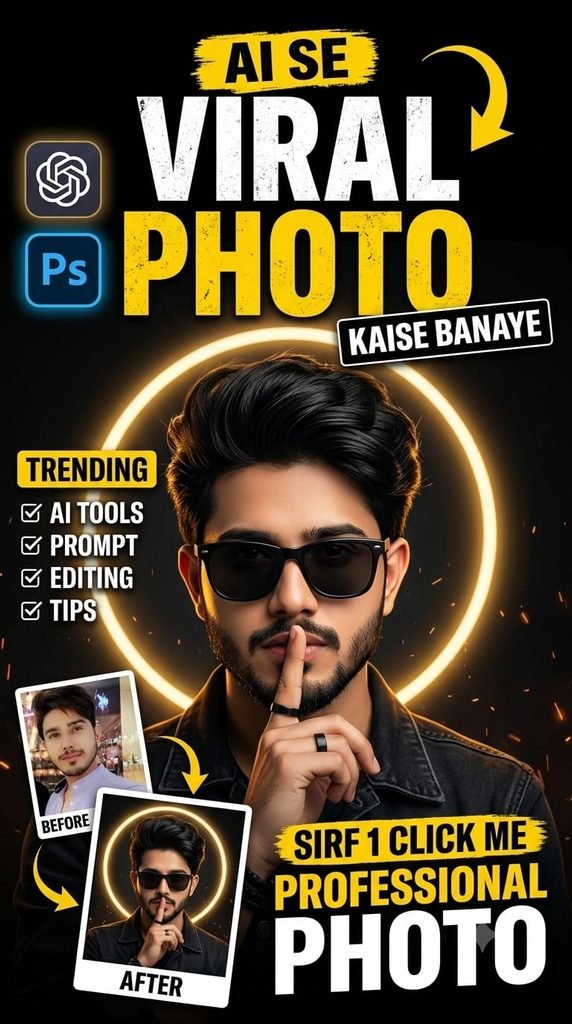
🔥 AI Se Viral Professional Photo Kaise Banaye? | ChatGPT AI Photo Editing Tutorial
Description:
Kya aap bhi apni normal photo ko ek stylish, cinematic aur professional viral photo mein badalna chahte hain? 📸✨ Is tutorial mein aap seekhenge ki ChatGPT ki madad se apni photo ko AI se kaise edit karein aur ek stunning, high-quality portrait kaise banayein.
Is easy tutorial mein hum samjhayenge ki ChatGPT mein apni photo upload karke sahi AI prompt kaise likhna hai, apni pasand ka look kaise create karna hai aur professional photo editing jaisa result kaise paana hai. Chahe aapko Instagram, Facebook, WhatsApp ya apni website ke liye attractive photo chahiye, AI tools aapki creativity ko ek naya level de sakte hain. 🚀
Agar aap AI photo editing, viral photo effects, cinematic portraits aur naye AI tools seekhna chahte hain, to is tutorial ko poora zaroor padhein aur diye gaye steps ko khud try karein.
✅ Apni photo ko naya professional look dein.
✅ AI prompts likhna seekhein.
✅ Social media ke liye attractive photos banayein.
❤️ Tutorial pasand aaye to post ko Like aur Share karein, apne doston ke saath zaroor share karein aur aise hi naye AI photo editing tutorials ke liye hamari website ko Bookmark karna na bhoolein!
Chaliye, AI ki madad se apni creativity ko ek naya andaaz dete hain! 🔥📸
👇👇 Ultra-realistic cinematic studio portrait of a stylish South Asian man, using the uploaded reference image as the ONLY source of facial identity. Preserve his exact facial structure, face shape, jawline, eyes, eyebrows, nose, lips, beard pattern, skin tone, hairstyle, and natural proportions. Do not alter, beautify. reshape, or replace the face. He has thick, voluminous, naturally messy black hair with textured strands falling slightly over the forehead, a neatly groomed full beard with subtle salt-and-pepper/gray tones, and a confident, mysterious expression. He wears sleek black rectangular sunglasses with dark lenses, a black shirt with realistic textured fabric, visible stitching, metal buttons, and slightly worn details. A simple black ring is visible on his finger. Pose: upper-body close-up, facing the camera with his head slightly tilted, while raising his index finger vertically in front his lips in a subtle "shhh" gesture. His expression is cool intense, and composed. hind his head is a large perfectly circular glowing ring light/halo, centered precisely around the head, calling a dramatic luminous outline. The background is deep matte black, minimal and completely uncluttered.Lighting: dramatic studio lighting, soft frontal illumination on the face, strong glowing halo backlight, subtle rim lighting around the hair and shoulders, realistic shadows, high contrast, cinematic mood. Photography: professional DSLR/mirrorless photography, 85mm portrait lens, shallow depth of field, ultra-sharp eyes and facial details, realistic skin pores and beard texture, natural skin, high dynamic range, photorealistic, cinematic color grading, premium fashion editorial aesthetic, extremely detailed, 8K quality. Composition: centered symmetrical portrait, chest-up framing. vertical 4:5 aspect ratio, black background, halo perfectly aligned behind the head, no text, no logo, no watermark, no extra people, no distortion.
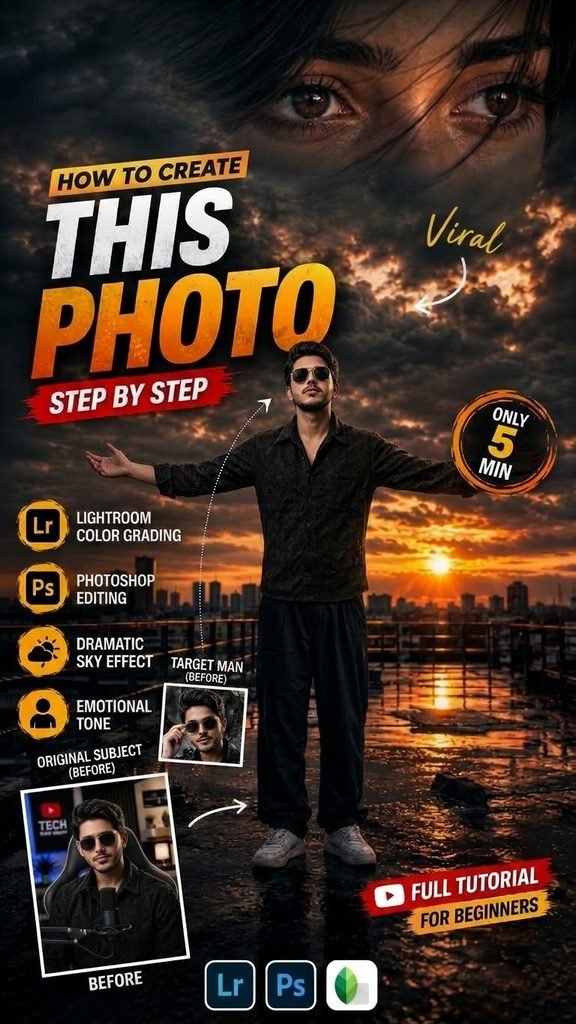
“5 Min Mein Aisi Bawaal Photo Kaise Banayein? (Full Editing Tutorial)”
Aapke YouTube video ya social media post ke liye ek badhiya aur engaging description niche diya gaya hai:
🔥 Description Box
5 Min Mein Aisi Bawaal Photo Kaise Banayein? (Full Step-By-Step Editing Tutorial)
Kya aap bhi apni simple photo ko ek dramatic, cinematic aur viral look dena chahte hain? Is video mein hum bilkul aasan tarike se sikhenge ki kaise aap Lightroom aur Photoshop ka use karke sirf 5 minutes mein professional photo editing aur face-swap poster bana sakte hain!
📌 Is Video Mein Aap Kya Sikhenge?
- Dramatic Sky Effect: Sunset lighting aur dramatic cloud texture blend karna.
- Realistic Face Swap: Perfectly skin tone aur lighting match karke face swap karna.
- Lightroom Color Grading: Visuals mein cinematic warm tones aur depth add karna.
- Text & Poster Layout: High-converting thumbnail aur banner designs ke liye typography placement.
🛠️ Apps & Software Used: - 🔵 Adobe Photoshop (Advanced Editing & Blending)
- 🟡 Adobe Lightroom (Color Grading & Tones)
- 🟢 Snapseed (Quick Retouching)
💡 Pro Tip: Video ko end tak poora dekhein taaki lighting aur shadows ka koi bhi main step miss na ho!
👇 Agar video pasand aaye toh:
👍 Like karein
💬 Comment karke batayein aapko next tutorial kis topic par chahiye
🔔 Subscribe karke bell icon zaroor dabayein!
Hashtags:
#PhotoEditing #PhotoshopTutorial #LightroomColorGrading #PhotoMagic #GraphicDesign #EditingTutorial #ViralPhotoEditing
Kya aapko is description mein Social Media links ya Asset Download Link (Presets/PNGs) ki jagah bhi add karwani hai?
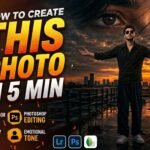
How to Create This Cinematic Heartbreak Photo 🔥 | AI Photo Editing Tutorial _________________________ Create an ultra-realistic cinematic vertical 9:16 Instagram heartbreak edit based on the uploaded reference image. Preserve the boy’s exact facial identity, face shape, hairstyle, curly hair texture, skin tone, body proportions, natural appearance, clothing, and overall identity with maximum accuracy. Do not redesign, beautify, replace, age, or alter his face. Place the boy naturally on a wet rooftop/industrial walkway at sunset. He is standing in the center of the scene with both arms fully spread wide, palms open, chest slightly lifted, and his face tilted upward while looking toward the sky, expressing deep heartbreak, loneliness, emotional pain, and surrender. Keep his same cream/off-white knitted sweater, loose dark pants, and white sneakers. His clothing should look naturally wet and realistic, with subtle reflections on the wet ground. Create a dramatic dark stormy sky filled with heavy clouds, warm orange and golden sunset light breaking through the clouds, cinematic blue-gray shadows, and a glowing sun near the city skyline. Add a realistic modern cityscape in the background with distant buildings, rooftop railings, wet reflective flooring, puddles, atmospheric haze, and realistic sunset reflections. At the top, create a large cinematic close-up of a girl’s expressive eyes blended naturally into the dark cloudy sky, suggesting memories of someone he has lost. Add subtle emotional depth without making the eyes look artificial. Include a realistic Instagram-style profile overlay in the upper-middle area with a circular profile picture placeholder, the text “Instagram User”, and minimal Instagram-style icons for Profile, Search, Mute, and Options. Add the heartbreak quote on the left side: “Sometimes, the hardest part is letting go of what you love.” followed by 💔😭 At the bottom, include a realistic Instagram post interface with heart, comment, share, and bookmark icons, “10,589 likes”, username “broken.soul.07”, caption “Not all scars are visible.”, and hashtags “#SadHeart #LostSoul #PainfulTruth”. Use photorealistic DSLR quality, cinematic HDR, realistic skin texture, natural facial details, realistic fabric texture, dramatic volumetric lighting
Apni image ko customize kaise karein? Prompt mein “Scene” ke baad apni pasand ka background add karein, jaise motorcycle, beach, mountains, royal throne ya urban street. “Pose” aur “Outfit” ki details bhi apne idea ke mutabiq change kar sakte hain.
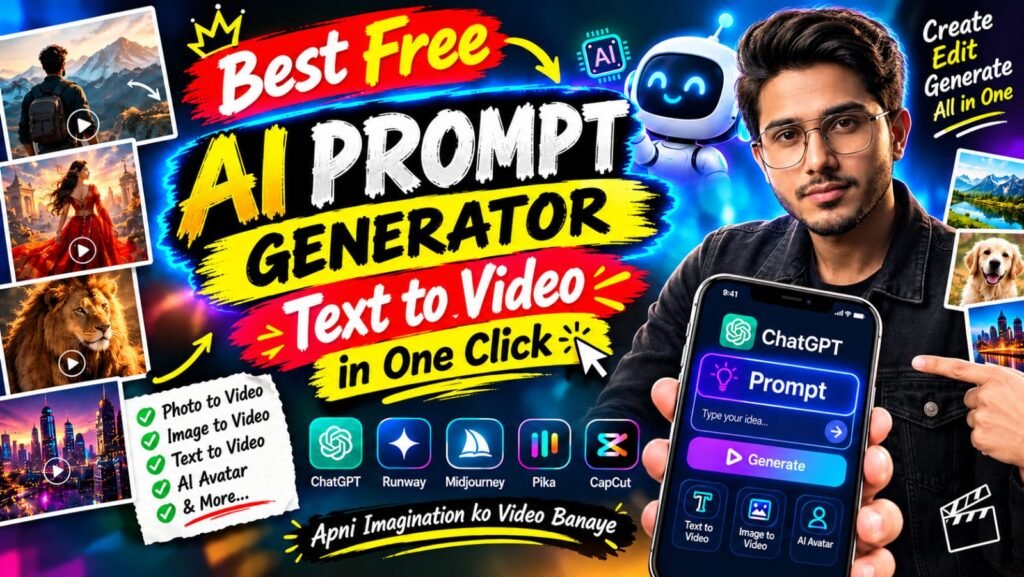
🎬 AI Prompt Generator Se Text-to-Video Aur Photo-to-Video
🛠️ Tools Jo Aapko Chahiye
ULTIMATE AI VIDEO TOOLKIT • 2026
| Tool | Kaam | Status |
|---|---|---|
| Google Flow | AI Video Generation | BEST |
| Google Gemini | Smart Prompt Writing | ESSENTIAL |
| ChatGPT | Image Ideas & Prompts | ESSENTIAL |
| CapCut | Professional Video Editing | ESSENTIAL |
| VN Editor | Mobile Video Editing | USEFUL |
| Midjourney | Car Concept Images | OPTIONAL |
| Leonardo AI | Futuristic Car Designs | OPTIONAL |
Start with Google Flow, ChatGPT and CapCut to create your AI video.
CREATE YOUR VISION • EDIT LIKE A PRO
AI tools ki madad se kuch supported platforms par text-to-video aur photo-to-video content bhi banaya ja sakta hai.
- Text-to-Video: Apne scene ko words mein describe karein aur supported AI video tool mein video generate karein.
- Photo-to-Video: Ek still photo upload karke supported tool se movement ya animation create karein.
- Image-to-Video: Image ko starting frame ya visual reference ke taur par use karein.
- AI Avatar: Kuch tools talking-avatar ya presenter-style videos banane ki suvidha dete hain.
Har tool ki capabilities, free limits aur export options alag ho sakte hain. Kisi bhi service ko use karne se pehle uski current terms aur available features check karein.
💡 Best AI Images Banane Ke 7 Useful Tips
- Clear reference photo use karein: Blurry ya bahut dark photo se identity preserve karna mushkil ho sakta hai.
- Prompt mein details likhein: Background, outfit, pose, lighting aur camera angle clearly describe karein.
- Ek waqt mein limited changes karein: Agar sirf background badalna hai, to clearly likhein ki baaki image unchanged rahe.
- Aspect ratio mention karein: Instagram portrait ke liye 4:5 aur Reels ya Stories ke liye 9:16 jaise ratios use karein.
- Realistic results maangein: Natural skin texture, realistic shadows aur accurate proportions ka zikr karein.
- Text ko check karein: AI-generated images mein spelling ya small text galat ho sakta hai. Zarurat ho to text ko baad mein edit karein.
- Privacy ka dhyan rakhein: Apni ya kisi aur ki photo upload karte waqt permission aur privacy ka khayal rakhein.
❓ Frequently Asked Questions (FAQ)
Q1. Kya ChatGPT mein apni photo upload kar sakte hain?
Haan, supported ChatGPT interfaces mein aap image upload karke uske baare mein sawal kar sakte hain ya image editing aur generation ke liye instructions de sakte hain.
Q2. Kya ChatGPT free mein AI image bana sakta hai?
Availability aur usage limits account, plan aur current product features par depend karti hain. Free access mein limits ho sakti hain.
Q3. Kya apna face same rakhkar AI image bana sakte hain?
Aap apni photo ko reference ke taur par use karke facial identity preserve karne ki instruction de sakte hain. Lekin har generation mein exact identity match hone ki guarantee nahi hoti.
Q4. Instagram ke liye kaunsa image ratio use karein?
Portrait feed post ke liye 4:5 aur full-screen Reels ya Stories ke liye 9:16 aam options hain.
Q5. Achha AI image prompt kaise likhein?
Apne subject, scene, pose, outfit, lighting, camera framing, style aur aspect ratio ko clearly describe karein. Saath hi batayein ki reference photo mein kya preserve karna hai aur kya change karna hai.
🎯 Conclusion
ChatGPT ki madad se AI image creation seekhna beginners ke liye bhi aasaan ho sakta hai. Ek clear reference photo, detailed prompt aur step-by-step corrections ke saath aap apne creative ideas ko realistic portraits, fashion edits, cinematic scenes aur social media visuals mein badal sakte hain.
Agar aap AI photo editing, ChatGPT prompts, image generation, text-to-video aur naye AI tools ke tutorials seekhna chahte hain, to is guide ko save karein aur apne friends ke saath share karein.
👍 Like | 🔁 Share | 📌 Save | 💬 Comment
Comment mein batayein: Aap sabse pehle kaunsi AI image banana chahenge — Royal King, Motorcycle Portrait, Cinematic Fashion, ya Beach Photography?
🔎 SEO Keywords
ChatGPT AI Image Generator, ChatGPT Photo Editing Tutorial Hindi, AI Photo Kaise Banaye, ChatGPT Mein Photo Upload Kaise Kare, Best AI Image Prompt 2026, Free AI Photo Generator, AI Prompt Generator, Realistic AI Portrait, ChatGPT Image Generation Tutorial, Text to Video AI, Photo to Video AI, Instagram AI Photo Editing.
#️⃣ Hashtags
#ChatGPT #AIImageGenerator #AIPrompt #AIPhotoEditing #ChatGPTTutorial #AIImagePrompt #ArtificialIntelligence #PhotoEditing #TextToImage #TextToVideo #PhotoToVideo #AIPrompts #CinematicPhotography #InstagramEditing #AITutorialding