
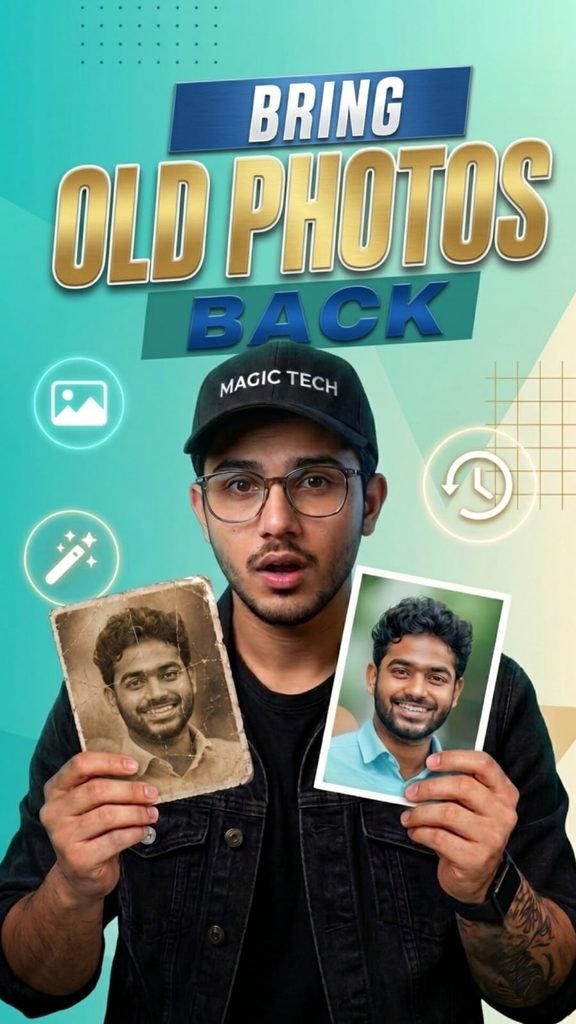
📌 Description
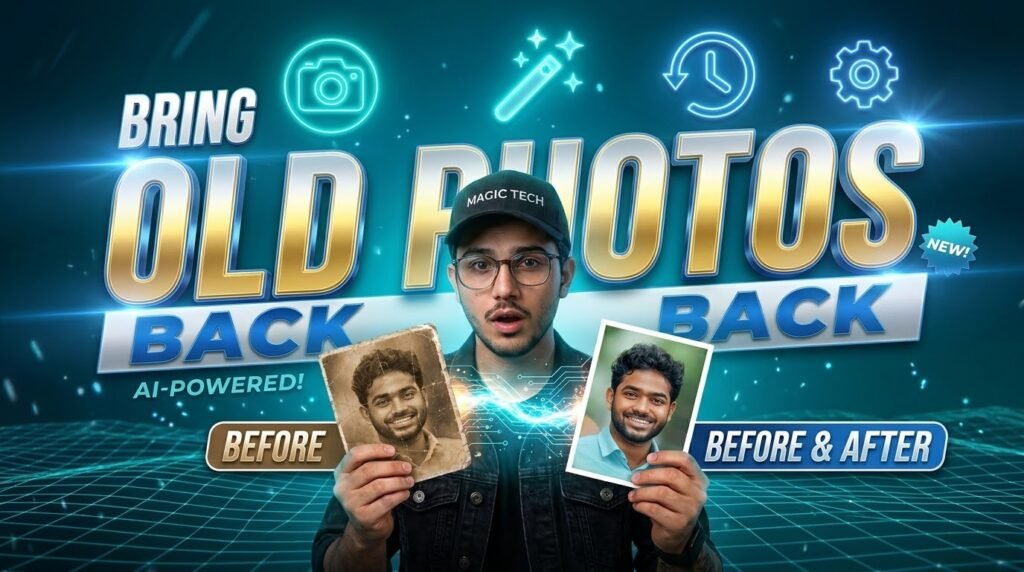
Kya aapki purani photos black and white, faded, blurry ya damaged ho chuki hain? 😍 Ab AI ki madad se aap apni old memories ko ek naya aur beautiful look de sakte hain! Is tutorial mein aap seekhenge ki ChatGPT aur AI photo editing tools ka use karke purani photos ko kaise restore, enhance aur modern style mein transform kiya ja sakta hai.
Is AI-Powered Photo Restoration Tutorial mein hum step-by-step samjhenge ki apni old photo ko ChatGPT mein upload karke ek detailed prompt kaise use karna hai, photo ki quality kaise improve karni hai aur natural facial identity ko preserve karte hue ek realistic Before & After result kaise create karna hai.
✨ Is Tutorial Mein Kya Seekhenge?
✅ Purani photos ko AI ki madad se restore karna
✅ Blurry aur faded images ki clarity improve karna
✅ Old photos ko modern aur realistic look dena
✅ ChatGPT mein photo upload karke AI editing prompt use karna
✅ Face ki natural identity aur original features ko preserve karne ki koshish karna
✅ Before & After photo transformation create karna
✅ Social media ke liye professional-quality AI photos banana
🚀 Apni Old Photos Ko Naya Look Dein!
Aapko professional photo editor hone ki zaroorat nahi hai. Sahi prompt aur AI tools ki madad se aap apni purani yaadgaar tasveeron ko behtar banane ki koshish kar sakte hain. Apni favourite old photo select karein, ChatGPT mein upload karein aur apni requirement ke according ek clear photo restoration prompt likhein.
📢 Call to Action: Agar aapko yeh AI photo editing tutorial helpful laga, to post ko Like karein, Share karein aur aise hi amazing AI photo editing tutorials ke liye website ko follow karna na bhoolein. Comment mein batayein ki aap apni old photo ko kis style mein restore karna chahte hain!
🔎 SEO Keywords
AI Photo Restoration, Old Photo Restoration AI, ChatGPT Photo Editing, AI Photo Enhancement, Before and After Photo Editing, Restore Old Photos Online, AI Photo Editing Tutorial, Old Photo to New Photo, Photo Restoration Prompt, AI Image Editing.
🏷️ Hashtags
#AIPhotoEditing #ChatGPT #PhotoRestoration #OldPhotoRestoration #AIPhotoEnhancement #BeforeAndAfter #AIPrompt #PhotoEditingTutorial #MagicTech #ArtificialIntelligence
PROMPT USE ⬇️⬇️⬇️ CLICK COPY ✨✨
Enter your tePrompt: Restore and upscale this vintage portrait to ultra-high quality. Preserve the person’s exact identity, facial features, expression, turban, moustache, clothing, and natural skin texture. Remove scratches, dust, stains, fading, blur, and film damage. Add realistic, subtle colorization with natural skin tones, authentic clothing colors, balanced contrast, sharp fine details, and professional cinematic color grading. Keep the original composition and historical character—no face alteration or over-smoothing.xt here…
HD PHOTO
HD PHOTO Enhance and upscale this exact image into an ultra-premium 4K Ultra HD masterpiece while preserving 100% of the original face, identity, expression, hairstyle, pose, clothing, earrings, skin tone, composition, background, and overall appearance. Do not alter or beautify the face beyond the original. Keep the exact natural look and realistic proportions. Apply intelligent AI restoration with ultra-high resolution (4096×4096 or higher), extreme sharpness, crystal-clear facial details, realistic skin texture, detailed eyes, natural lips, ultra-fine hair strands, refined fabric textures, HDR imaging, cinematic lighting, soft natural daylight, automatic color balancing, premium color correction, vibrant yet realistic colors, true-to-life skin tones, high dynamic range, rich contrast, smooth gradients, perfect white balance, clean edge refinement, advanced noise reduction, artifact removal, anti-aliasing, zero blur, zero pixelation, zero compression artifacts, professional DSLR quality, studio-grade image processing, premium digital enhancement, masterpiece quality, photorealistic rendering, ultra-detailed 16K-level textures, maximum clarity, maximum realism, flawless finish. Lighting: Soft natural daylight with automatic exposure correction, balanced highlights and shadows, natural facial glow, realistic ambient lighting. Color Style: Keep the original colors exactly the same, enhance only the richness and realism. Natural skin tone, realistic pastel lavender outfit, true black hair, realistic silver earrings, clean and vibrant background colors without oversaturation. Output Quality: Ultra HD 4K, premium graphics, highest possible pixel quality, crystal-clear details, HDR, professional photography finish, print-quality resolution. Negative Prompt: Do not change the person's identity, no face swap, no beautification, no AI-generated facial changes, no cartoon effect, no anime style, no over-smoothing, no plastic skin, no extra fingers, no extra limbs, no blur, no pixelation, no noise, no grain, no watermark, no logo, no text, no color shift, no oversaturation, no low quality, no artifacts, no distorted anatomy, no unrealistic lighting, no fake details. Yeh prompt same-to-same face aur original colors ko preserve karte hue image ko professional 4K Ultra HD quality mein enhance karne ke liye optimize kiya gaya hai.
Apni image ko customize kaise karein? Prompt mein “Scene” ke baad apni pasand ka background add karein, jaise motorcycle, beach, mountains, royal throne ya urban street. “Pose” aur “Outfit” ki details bhi apne idea ke mutabiq change kar sakte hain.
🎬 AI Prompt Generator Se Text-to-Video Aur Photo-to-Video
🛠️ Tools Jo Aapko Chahiye
ULTIMATE AI VIDEO TOOLKIT • 2026
| Tool | Kaam | Status |
|---|---|---|
| Google Flow | AI Video Generation | BEST |
| Google Gemini | Smart Prompt Writing | ESSENTIAL |
| ChatGPT | Image Ideas & Prompts | ESSENTIAL |
| CapCut | Professional Video Editing | ESSENTIAL |
| VN Editor | Mobile Video Editing | USEFUL |
| Midjourney | Car Concept Images | OPTIONAL |
| Leonardo AI | Futuristic Car Designs | OPTIONAL |
Start with Google Flow, ChatGPT and CapCut to create your AI video.
CREATE YOUR VISION • EDIT LIKE A PRO
AI tools ki madad se kuch supported platforms par text-to-video aur photo-to-video content bhi banaya ja sakta hai.
- Text-to-Video: Apne scene ko words mein describe karein aur supported AI video tool mein video generate karein.
- Photo-to-Video: Ek still photo upload karke supported tool se movement ya animation create karein.
- Image-to-Video: Image ko starting frame ya visual reference ke taur par use karein.
- AI Avatar: Kuch tools talking-avatar ya presenter-style videos banane ki suvidha dete hain.
Har tool ki capabilities, free limits aur export options alag ho sakte hain. Kisi bhi service ko use karne se pehle uski current terms aur available features check karein.
💡 Best AI Images Banane Ke 7 Useful Tips
- Clear reference photo use karein: Blurry ya bahut dark photo se identity preserve karna mushkil ho sakta hai.
- Prompt mein details likhein: Background, outfit, pose, lighting aur camera angle clearly describe karein.
- Ek waqt mein limited changes karein: Agar sirf background badalna hai, to clearly likhein ki baaki image unchanged rahe.
- Aspect ratio mention karein: Instagram portrait ke liye 4:5 aur Reels ya Stories ke liye 9:16 jaise ratios use karein.
- Realistic results maangein: Natural skin texture, realistic shadows aur accurate proportions ka zikr karein.
- Text ko check karein: AI-generated images mein spelling ya small text galat ho sakta hai. Zarurat ho to text ko baad mein edit karein.
- Privacy ka dhyan rakhein: Apni ya kisi aur ki photo upload karte waqt permission aur privacy ka khayal rakhein.
❓ Frequently Asked Questions (FAQ)
Q1. Kya ChatGPT mein apni photo upload kar sakte hain?
Haan, supported ChatGPT interfaces mein aap image upload karke uske baare mein sawal kar sakte hain ya image editing aur generation ke liye instructions de sakte hain.
Q2. Kya ChatGPT free mein AI image bana sakta hai?
Availability aur usage limits account, plan aur current product features par depend karti hain. Free access mein limits ho sakti hain.
Q3. Kya apna face same rakhkar AI image bana sakte hain?
Aap apni photo ko reference ke taur par use karke facial identity preserve karne ki instruction de sakte hain. Lekin har generation mein exact identity match hone ki guarantee nahi hoti.
Q4. Instagram ke liye kaunsa image ratio use karein?
Portrait feed post ke liye 4:5 aur full-screen Reels ya Stories ke liye 9:16 aam options hain.
Q5. Achha AI image prompt kaise likhein?
Apne subject, scene, pose, outfit, lighting, camera framing, style aur aspect ratio ko clearly describe karein. Saath hi batayein ki reference photo mein kya preserve karna hai aur kya change karna hai.
🎯 Conclusion
ChatGPT ki madad se AI image creation seekhna beginners ke liye bhi aasaan ho sakta hai. Ek clear reference photo, detailed prompt aur step-by-step corrections ke saath aap apne creative ideas ko realistic portraits, fashion edits, cinematic scenes aur social media visuals mein badal sakte hain.
Agar aap AI photo editing, ChatGPT prompts, image generation, text-to-video aur naye AI tools ke tutorials seekhna chahte hain, to is guide ko save karein aur apne friends ke saath share karein.
👍 Like | 🔁 Share | 📌 Save | 💬 Comment
Comment mein batayein: Aap sabse pehle kaunsi AI image banana chahenge — Royal King, Motorcycle Portrait, Cinematic Fashion, ya Beach Photography?
🔎 SEO Keywords
ChatGPT AI Image Generator, ChatGPT Photo Editing Tutorial Hindi, AI Photo Kaise Banaye, ChatGPT Mein Photo Upload Kaise Kare, Best AI Image Prompt 2026, Free AI Photo Generator, AI Prompt Generator, Realistic AI Portrait, ChatGPT Image Generation Tutorial, Text to Video AI, Photo to Video AI, Instagram AI Photo Editing.
#️⃣ Hashtags
#ChatGPT #AIImageGenerator #AIPrompt #AIPhotoEditing #ChatGPTTutorial #AIImagePrompt #ArtificialIntelligence #PhotoEditing #TextToImage #TextToVideo #PhotoToVideo #AIPrompts #CinematicPhotography #InstagramEditing #AITutorialding